For interpreters
A second pair of eyes in the booth.
Interpreter Assist shows the speaker’s words as they are spoken, puts your glossary terms on screen the moment they come up, and picks out every number, name and acronym. You keep interpreting. It keeps watch.
How it works
Built around the way you already work.
- Load your glossary. Paste or upload the terms for the assignment: names, titles, acronyms, figures, the words you must not get wrong.
- Open the booth screen. Interpreter Assist listens to the floor feed. Your partner scans the booth QR and enters the PIN to join on their own device.
- Interpret. The speaker’s words scroll as they are spoken. Terms, numbers, names and acronyms are picked out. Tap Hold to freeze the screen and read back a figure.
Features
What it does.
We build Interpreter Assist with the Sim Trans interpreters who use it in real booths, and keep refining it with them.
- Live speaker words
The speaker’s words on screen as they are spoken.
- Running translation
A machine translation alongside, as a prompt, never a script.
- Instant glossary term cards
Your glossary terms pop up the moment they are spoken.
- Numbers, names and acronyms highlighted
The things interpreters most often need a second look at, picked out on screen.
- Hold
Freeze the screen to read back a figure while the speaker carries on.
- Booth QR and PIN
Booth partners join the same screen from their own device.
- Document preparation
Upload the programme and papers; key terms are extracted for your glossary.
- Turn timer
A quiet timer for booth hand-overs.
- Relay support
Follow a relay channel alongside the floor.
- Shared booth notes
Notes both booth partners can see and add to.
- Quick lookup
Search a term without leaving the screen.
- Term bank
Your glossaries, kept and reused across assignments.
Who it is for
Freelancers and agencies want different things.
Freelance interpreters
- A quiet screen that helps on figures, names and terms without telling you how to interpret.
- Hold the screen to read back a figure, then let it catch up.
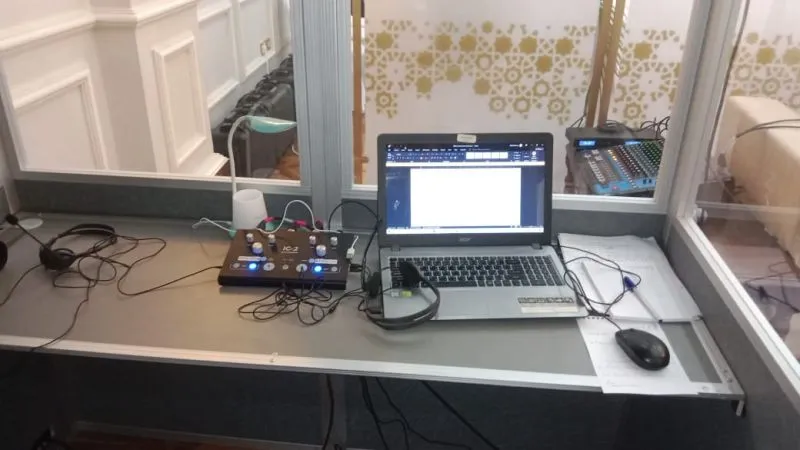
- Works in the booth beside your console, on your own laptop or tablet.
Agencies and in-house teams
- Every booth at an event working from the same glossary.
- Consistent terminology across interpreters and days.
- The same confidentiality and retention rules as SIM.AI events, agreed in advance.
Plans
Three ways to use it.
Interpreter Assist is offered as a subscription. Tell us how you work and we will send a quote within 24 hours. Our team sets every account up for you.
-
Freelancer
One interpreter, any assignment
Subscription · quote on request
- Every Interpreter Assist feature on one screen
- Document preparation and quick lookup
- Your glossaries kept in the term bank for the next assignment
-
Booth
Two interpreters sharing a booth
Subscription · quote on request
- Everything in Freelancer
- Booth QR and PIN, so your partner joins on their own device
- Shared booth notes, turn timer and relay support
-
Agency
Agencies and in-house teams
Subscription · quote on request
- Everything in Booth
- Several booths and assignments
- One point of contact at Sim Trans
Get started
Try it on your next assignment.
Tell us your languages and the kind of work you do. We reply within 24 hours with a quote and a time to set you up.
Thank you. Your enquiry has reached us.
Here is what happens next:
- A member of the SIM.AI team at Sim Trans reads your message and replies by email within 24 hours.
- If it is an event, we will ask about the room, the programme and the languages, then send a plan and a quote.
- If your event is soon, tell us on WhatsApp and we will prioritise it.
In a hurry? Message us on WhatsApp (opens in a new tab) or call +971 56 685 4225.
Questions interpreters ask
Is Interpreter Assist an AI interpreter?
No. It does not speak for you. It shows the speaker’s words, a running machine translation as a prompt, and your glossary terms on screen, so you can interpret with fewer misses on numbers, names and terminology.
How does it get the audio?
It listens to the floor feed of the session, the same audio you hear in your headset. At SIM.AI and Sim Trans events we connect it for you. For other assignments, we will set it up with the event’s technical team.
Does my booth partner need their own account?
No. Open the booth QR code and PIN, and your partner joins the same screen on their own laptop or tablet.
What happens to the audio and transcripts?
They are used to run the session and are handled under the same confidentiality and retention rules as SIM.AI events. Tell us your client’s requirements and we will agree retention and deletion before the assignment.
Can I sign up and pay online?
Not yet. Self-service sign-up and online payment are coming soon. For now, our team sets you up: send the form or message us on WhatsApp and we reply within 24 hours with a quote.
Read the glossary entry on computer-assisted interpreting (CAI), or see how Precision mode uses the same glossaries for AI channels.